Assessment
What the platform records
For each learner, per module: in progress or complete, when it was started, when it was finished, and which steps are done. Their dashboard turns that into a percentage and a tick per module.
What it does not record
This list matters more than the one above, because assessment plans usually assume the opposite.
- No time on task. Nothing measures how long a step took.
- No scores. The safety questions in Module 0 are checked in the browser and the result is never stored. Wrong answers leave no trace.
- No attempt counts. A learner who passed a task first time and one who passed on the twentieth look identical afterwards.
- No per-step timestamps beyond the start and end of a module.
- No export, in any format, for a learner or a group.
- No teacher view. There is no screen, anywhere, that shows you somebody else's progress.
So: the platform tells you what was completed. Everything about how well has to come from you.
Evidence you can collect
The course produces real artefacts. These are what to assess.
| Module | Artefact worth collecting |
|---|---|
| 1 | A photograph of the built arm; the connection dialog showing six motors OK. |
| 3 | The repeatability and accuracy figures the lesson reports, and the learner's explanation of what the pattern means. |
| 4 | A sketch or screenshot of the workspace map they probed. |
| 5 | The exported path file, and the arm replaying it. |
| 6 | The signature, on paper, in pencil. The best artefact in the course. |
| 7 | A screenshot of the tuned HSV mask with only the target object surviving. |
| 8 | The PID response before and after tuning. |
| 9 | The labelled dataset and their justification for where they stopped training. |
| 10 | The marker they designed and its decoded ID. |
| End | The PDF certificate, with its identifier. |
A rubric that fits the course
Four strands, each visible in the artefacts above:
- The machine works. Assembled, IDs correct, calibrated, twin following. Binary, and non-negotiable — everything else depends on it.
- The procedure was followed. Calibration done in the right pose, grip force in band, area cleared before motion.
- The result is good. How close is 45°, really? How clean is the mask? Does the signature read?
- The learner can explain it. Why the error grows with reach; why erosion comes before dilation; why the training run should have stopped at that epoch. This is where the marks should live, because it is the part the platform cannot fake.
Checking progress in practice
Because there is no remote view, use the learner's own screen:
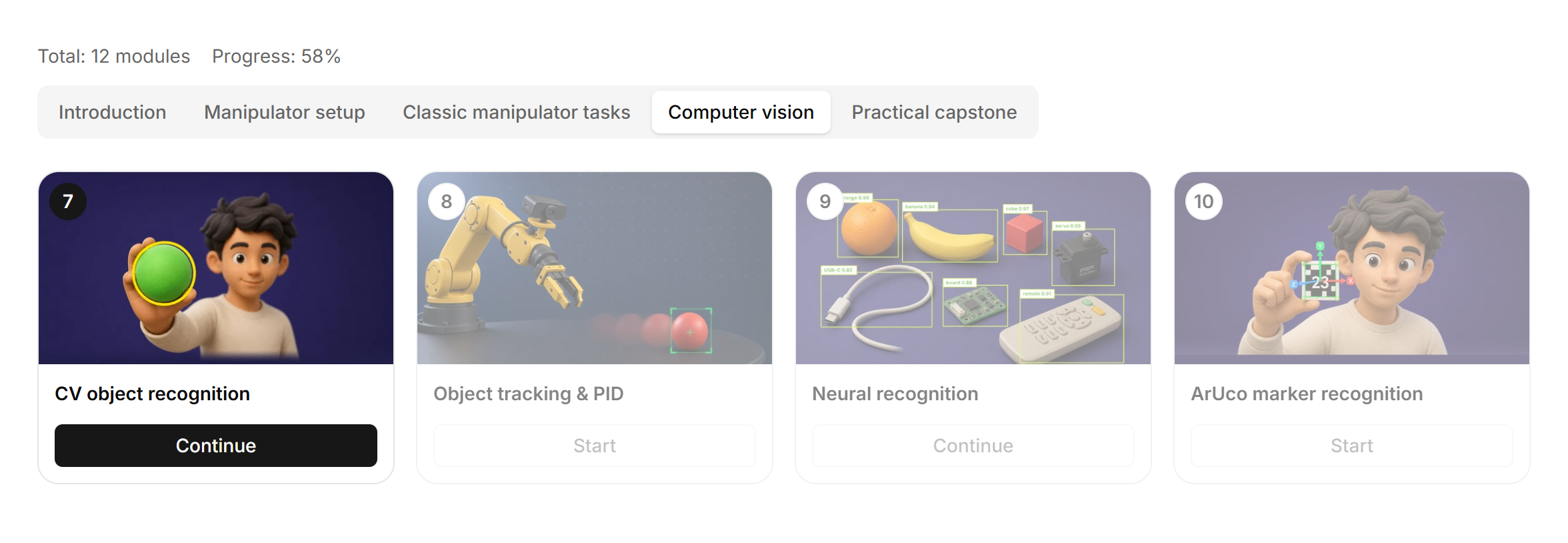
- A dashboard check at the start of each session. Thirty seconds, the whole room, and it doubles as the attendance record.
- A screenshot at each milestone. Ask for the dashboard after Module 4 and after Module 6.
- The certificate as the terminal credential. It requires the first seven modules and an active subscription, and it carries a stable identifier you can record.
The honest limitation
If your institution requires per-student analytics — time, attempts, scores, exportable reports — Robonine Lab does not supply them today, and no setting turns them on. Plan the assessment around artefacts and demonstration, or raise the requirement with Robonine before you commit a cohort to it.
