Tools
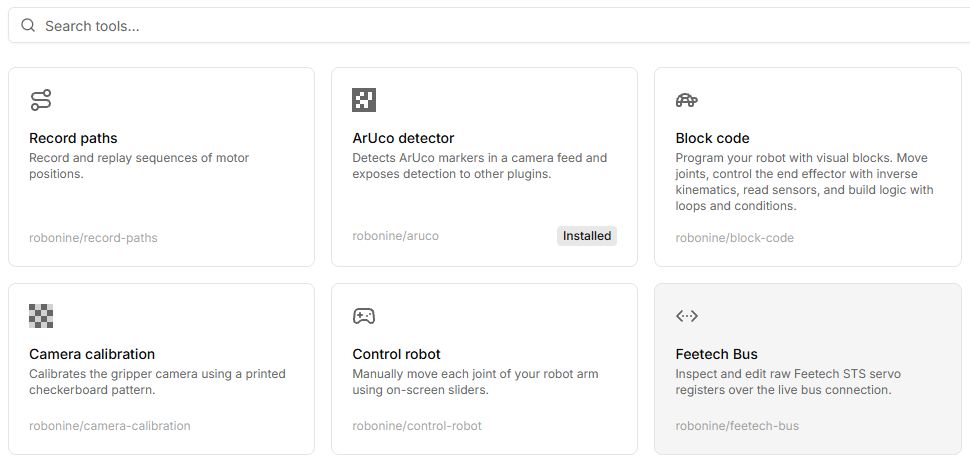
Tools is the part of the Lab that is not a lesson: small applications that each do one thing to a robot. Use them when you are setting an arm up, checking a fault, or working on something of your own.
Some tools are installable — they add a capability other tools then build on, like OpenCV or the ArUco detector. Those show an Installed badge instead of opening a page.
Record paths
The one tool built into the app. Tools → Record paths, or /paths.
A path is a list of motor positions. You add points by posing the arm and pressing Add point, which reads the live positions, and you get back a sequence you can replay.
| New path | Start an empty one |
| Add point | Capture the arm's current pose |
| Raw / Angles | Show encoder counts or degrees |
| Loop | Replay continuously |
| Play in simulator | Run it on the 3D model only |
| Play on robot | Run it for real — a safety confirmation comes first |
| Add camera | Attach a camera view to the recording |
| Create movie | Record the 3D canvas to a video file |
| Share | Copy a link to the path |
| Duplicate, Export, Import, Delete | Housekeeping |
Paths are public by default, which is what makes Share work — anyone with the link can watch the path. Keep that in mind before recording something you would rather keep.
Signing in is required.
The tool catalogue
These are plugins, loaded when you open them.
| Tool | What it does |
|---|---|
| Set motor IDs | Assigns 1–6 to the motors on the bus, one at a time. The tool to reach for when the connection dialog reports Not configured. |
| Calibrate motors | Puts every joint at home and writes the offsets into the servos. |
| Calibrate robot | Records each joint's full travel, so the software limits match your machine. |
| Control robot | On-screen sliders for each joint. The quickest way to check a repair. |
| Force sensor | Live force readings from the gripper sensor. |
| Teleoperate | Mirrors a leader arm onto a follower in real time, optionally with a camera feed for a first-person view. |
| ArUco detector | Real marker detection in a camera feed, exposed to other tools. Installable; needs OpenCV. |
| Camera calibration | Solves the wrist camera's lens from a printed checkerboard. |
| OpenCV | Loads OpenCV and offers computer vision to other tools. Installable. |
| MCP bridge | Exposes the robot and the workspace to an AI assistant through the WebMCP API. Installable. |
The list in the app is searchable and paginated; what you see depends on what has been published, so treat the table above as the shape of the catalogue rather than a fixed inventory.
Bringing your own
Two ways.
Load locally takes a packaged plugin file and runs it from your own browser — nothing is uploaded, nothing is shared, and it stays on that machine. Good for developing, and for a tool you only want yourself.
Submit for review sends a plugin to Robonine to be looked at and, if it fits, published in the catalogue.
The interface a plugin talks to is documented in the plugin SDK.
Tools move the arm for real
A tool is not a lesson: it will not hold your hand. Anything that commands motion shows the safety confirmation first — Area is clear — let me try! — and means it. Keep the emergency stop within reach.