Tool catalog
All fifteen tools and services, with separate operating instructions.
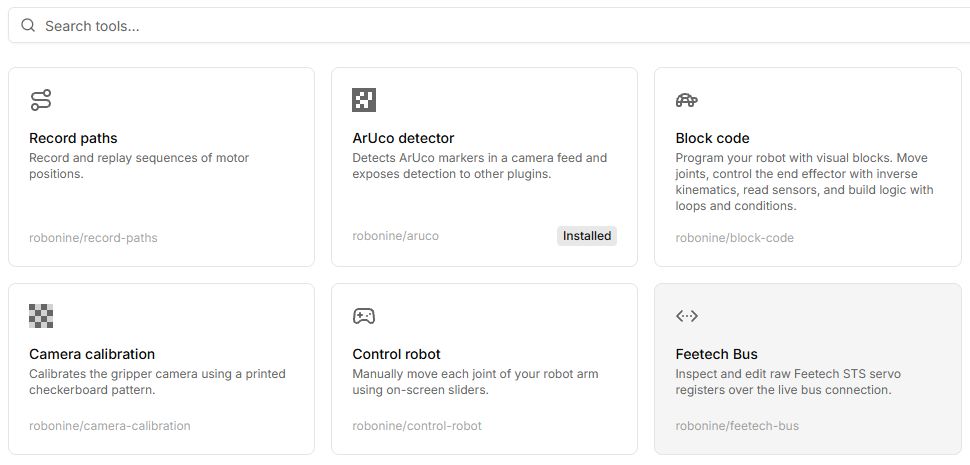
| Tool | Purpose |
|---|---|
| Record paths | Save and replay a sequence of poses. |
| Control robot | Forward/inverse kinematics and selected-node coordinates. |
| Block code | Build visual programs. |
| ROS2 lab | Browser-based Python/C++ teaching programs and topics. |
| Set motor IDs | Assign IDs one motor at a time. |
| Calibrate motors | Set initial-position offsets. |
| Calibrate robot | Record joint ranges. |
| Teleoperate | Drive a follower from a leader arm. |
| Camera calibration | Calculate camera intrinsics using ChArUco. |
| Force sensor | Read connected sensors. |
| Feetech bus | Read and change servo registers. |
| Policies | Record demonstrations, export datasets and run compatible policies. |
| OpenCV | Computer-vision service for other plugins. |
| ArUco detector | Marker-detection service. |
| MCP Bridge | Expose Lab functions to compatible AI clients. |
Open or install
An ordinary tool card opens its workspace. OpenCV, ArUco and MCP Bridge are services installed through a dialog to provide functions to other parts of the application. Read a dependency’s purpose when prompted. See installation.
Controls
| Button or field | Action and result |
|---|---|
| Search in Tools | Enter a name or vendor/slug, then open the card. Path recording uses the separate Paths page. |
| Install requirements | Shows dependencies before starting. Install the listed services and wait until they are ready. |
| Connect robot | Opens connection selection for the required role. Use Virtual for a first test when the task allows it. |
| Control tables in articles | Find your button or field label. The right column explains the action, expected result and reasons it may be unavailable. |
| Panel screenshot | Click the image to inspect its layout. Consider the language and mode stated in the caption. |
For a first test, open Control robot; for a program, Block code; for hardware diagnostics, Feetech bus.