Leader + follower
SO-ARM102 kit
$389
- Delivery priced at checkout
Robonine Labs · Robotic arm kit + Robonine Lab
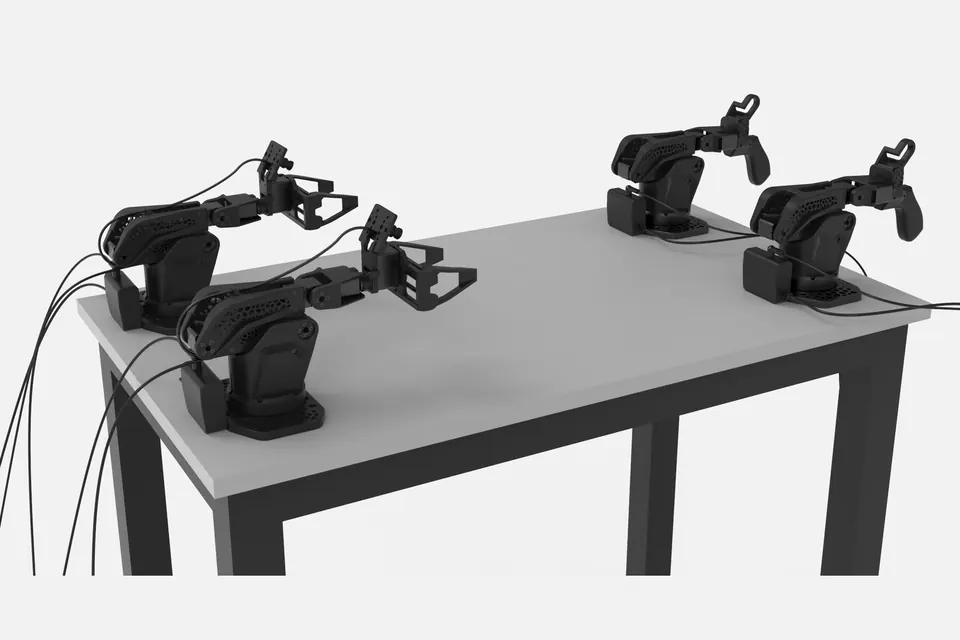
The SO-ARM101 kit — a leader–follower pair of 5-DOF arms with a camera — and free access to Robonine Lab, the browser platform where you assemble, calibrate and drive it: teleoperation, pick-and-place, computer vision, up to a final project of your own.
$389 First batch starts shipping in late October 2026. Delivery priced at checkout · import duty estimated
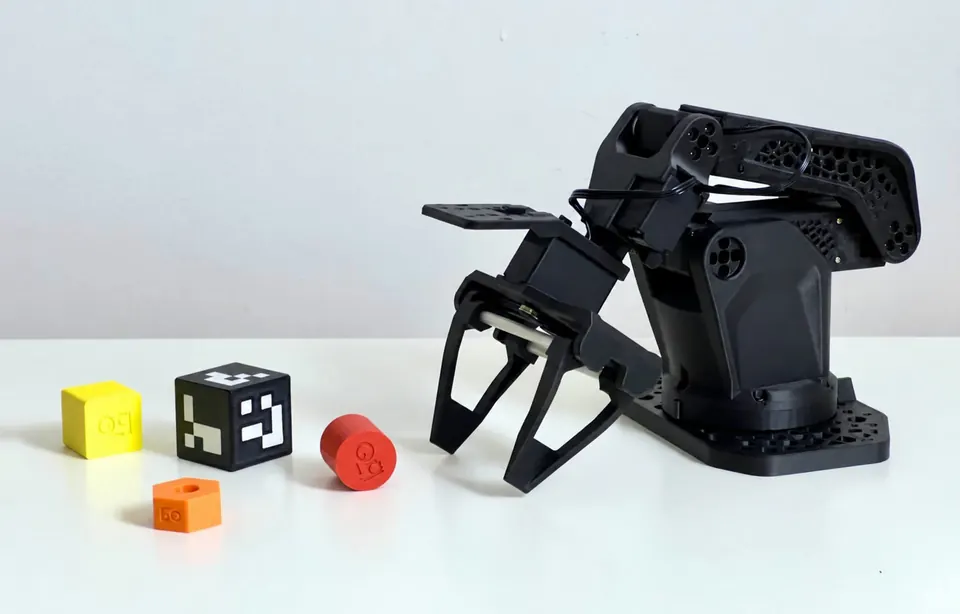
See it
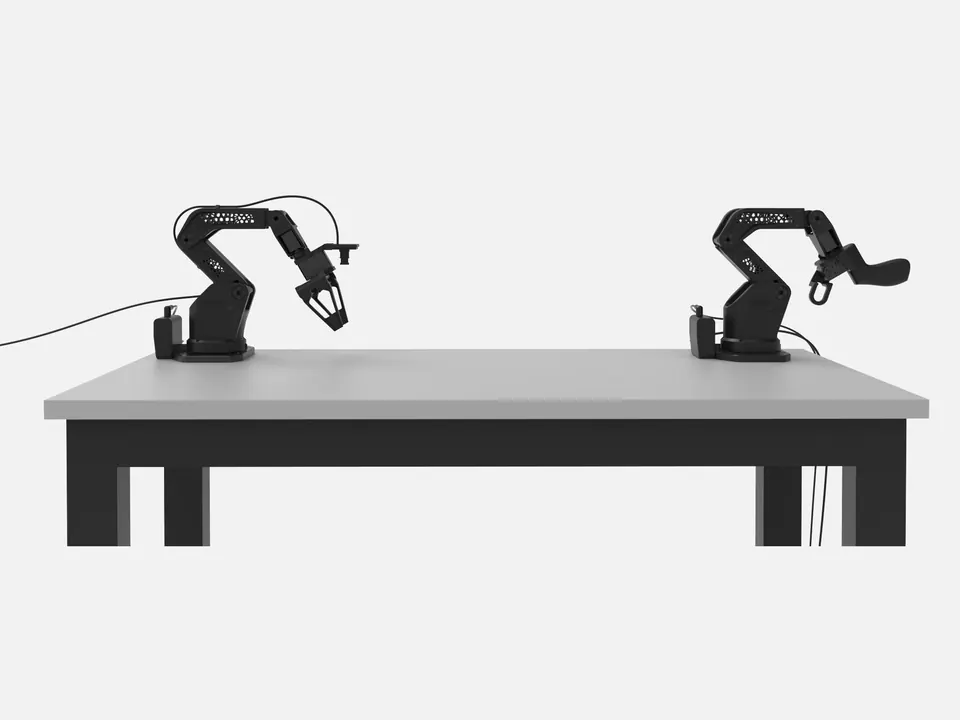
The printed lattice parts, the assembled arm, and the leader–follower pair at work. The lattice is what topology optimisation left: material only where the load goes.
What is new
The same open SO-ARM idea — a leader you move by hand and a follower that repeats it — rebuilt where SO-ARM101 ran out of stiffness, speed and reach.
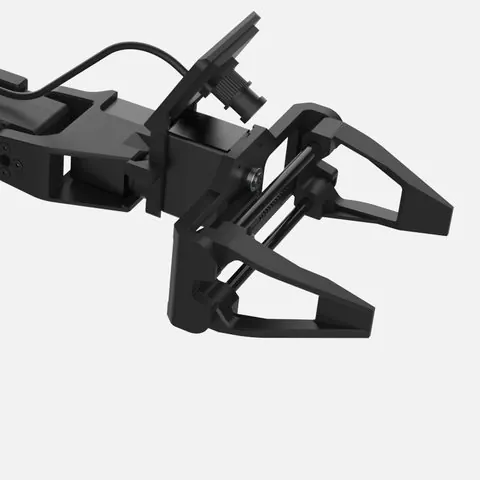
Parallel jaws hold objects securely without rolling them as the gripper closes.
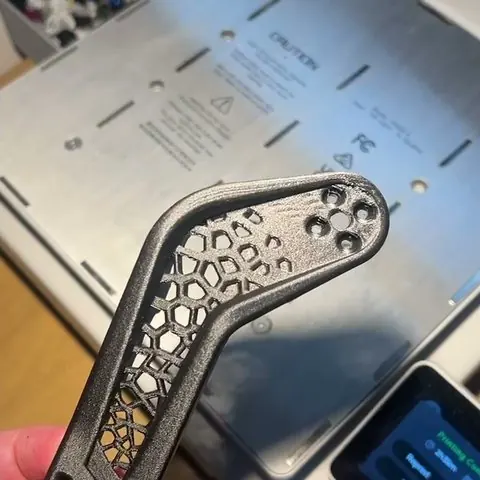
A PET-CF frame designed to reduce flex under load.
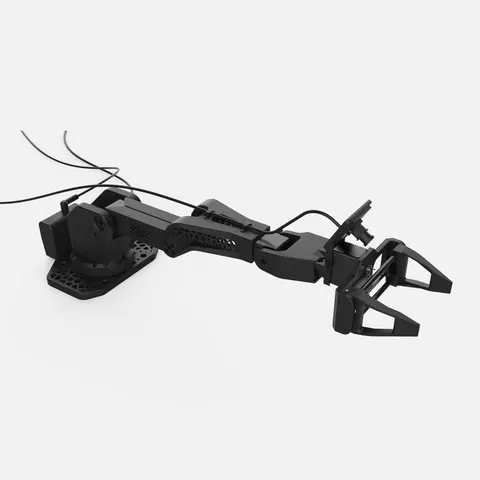
Shoulder and elbow servos with 67% higher no-load speed at 12 V.
Compared
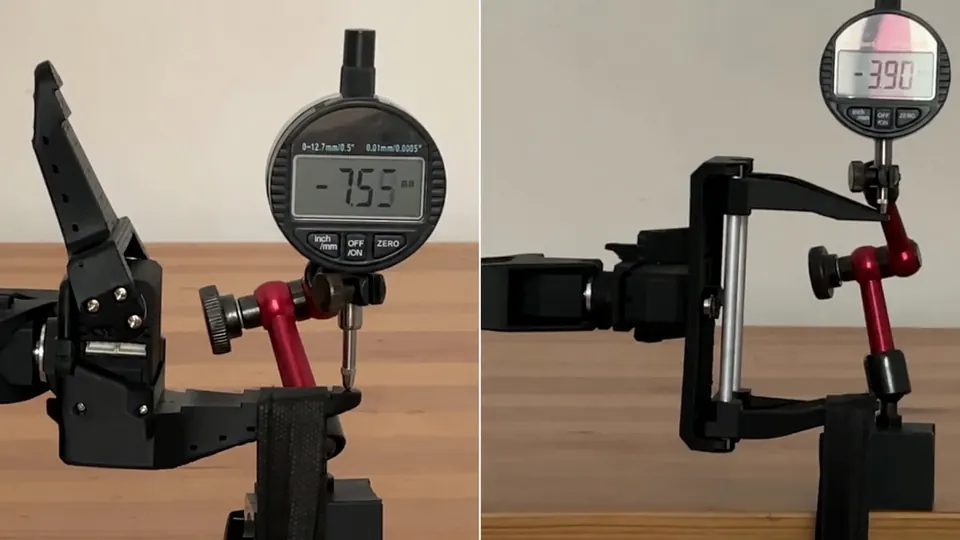
Measured on our bench with the same rig for both arms. Where a number is the servo maker’s rating or a calculation, the row says so.
| SO-ARM101 | SO-ARM102 | |
|---|---|---|
| Base rotation | 220° | 352° |
| Shoulder lift range | 200° | 224° |
| Elbow flex range | 194° | 243° |
| Wrist flex / wrist roll range | 190° / 320° | 196° / 328° |
| Horizontal reach | 441 mm | 483 mm |
| Reach behind the base | 377 mm | 473 mm |
| Tip deflection, 300 g on the gripper Arm fully extended, printed servo dummies — the frame alone | 7.5 mm | 3.9 mm |
| Shoulder and elbow speed Servo maker’s no-load rating at 12 V | 45 rpm | 75 rpm |
| Estimated horizontal accuracy From the measured base backlash at full reach | ±2.96 mm | ±1.85 mm |
| Noise at 1 m | 70 dB | 60 dB |
| Gripper | One angular jaw | Two parallel jaws, 0–85 mm |
| Largest box / cylinder / ball | 56 / 48 / 40 mm | 75 / 70 / 60 mm |
| Rated payload | 150 g | 300 g |
| Frame material | PLA | PET-CF |
SO-ARM101 stays on sale for classrooms that standardised on it.
Specification
| Degrees of freedom | 5 + parallel gripper |
|---|---|
| Configuration | Leader–follower pair: the leader with a handle, the follower with the gripper |
| Reach | 483 mm horizontal; about 500 mm arm length |
| Joint ranges | Base 352° · shoulder 224° · elbow 243° · wrist flex 196° · wrist roll 328° |
| Rated payload | 300 g |
| Repeatability | About 0.1 mm, measured |
| Gripper | Parallel, two moving jaws, 0–85 mm |
| Servos | Follower: 2 × STS3235, 2 × STS3250, 2 × STS3215; leader: 6 × STS3215. Feetech TTL serial-bus servos with 12-bit magnetic encoders. |
| Frame | PET-CF, topology-optimised; about 90 % of the parts are 3D printed |
| Power draw | Follower at 12 V with 300 g: 1.3 A on average, 3.3 A at peak (measured) |
| Mounting | Table mount 80 × 80 mm for M8 bolts, or C-clamps |
| Camera | Included: OV2735 (USB UVC, 1920×1080, Full HD) USB camera, WSD-6006-V1.0 board, M12 2.8 mm lens; gripper mount with cable routing |
| Software | Hugging Face LeRobot with the SO-ARM102 plugin · Robonine Lab in the browser · Python 3 · URDF for simulation |
| Openness | Open source: CAD, printable parts and BOM |
The hardware
Ships unassembled in a foam-fitted box from our warehouse in China. Delivery cost and time for your country are shown at checkout before you pay.
Up close
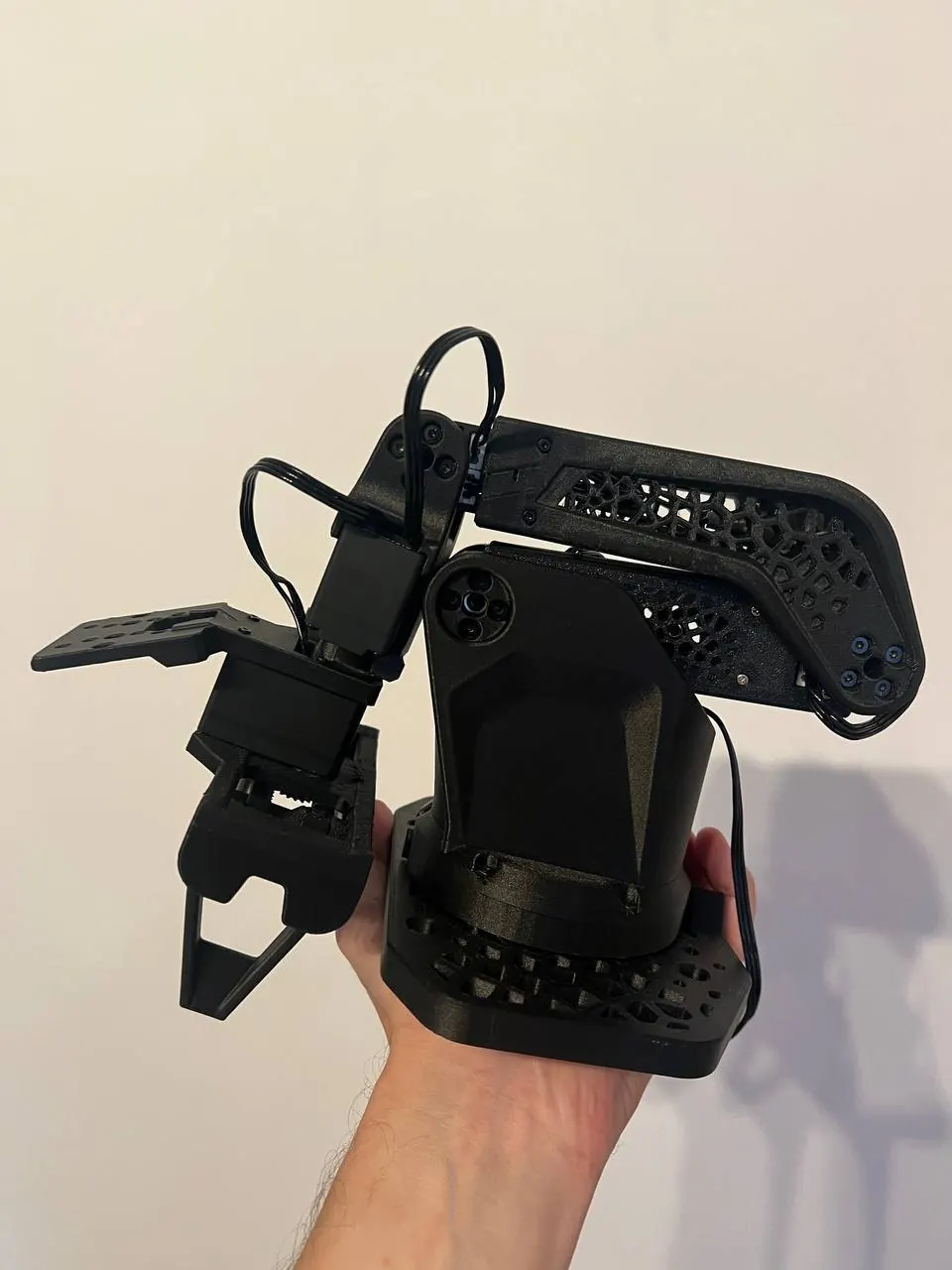
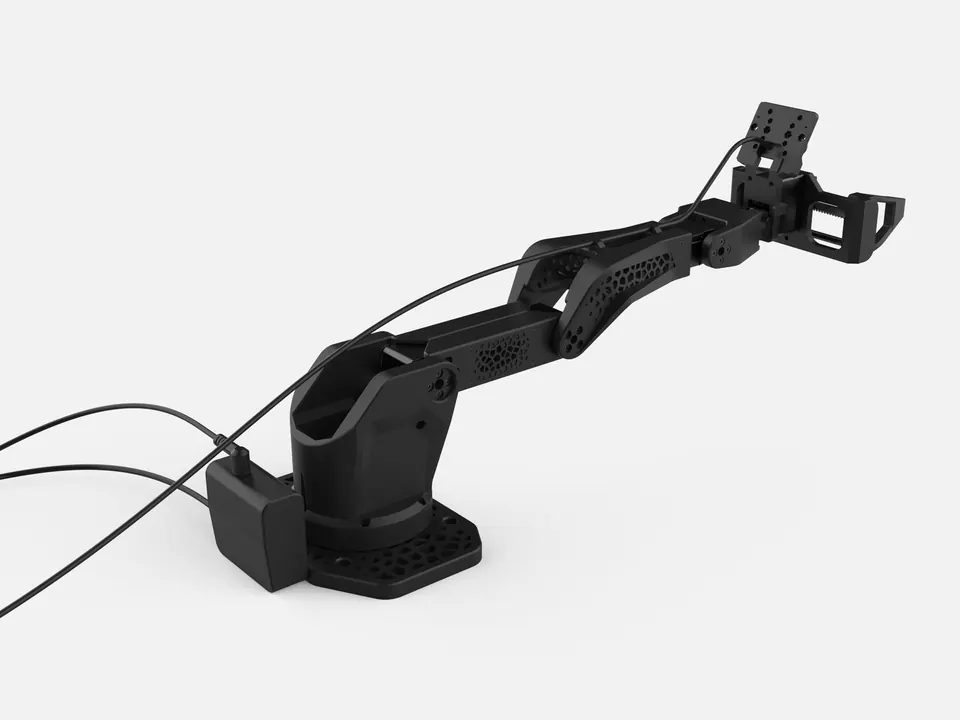
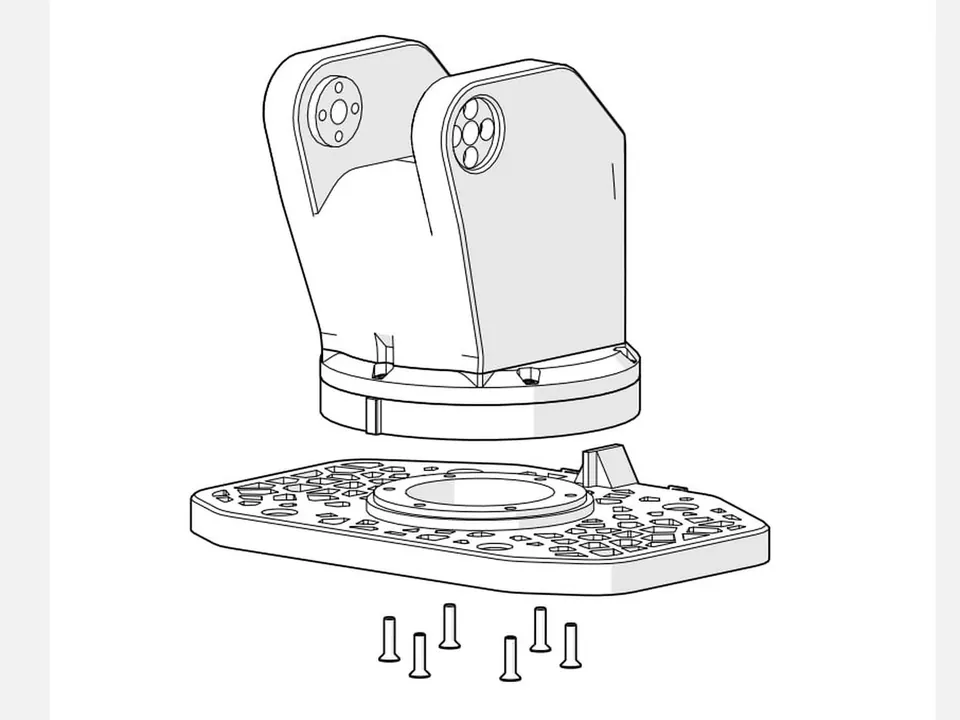
A photo of the assembled arm for scale, two views of the kit design, and a page from the assembly manual.
Tested under load
The arm repeats the same movements while holding a 300 g load. A thermal camera monitors the servo temperatures: at a room temperature of 30 °C, the hottest servo stabilised at 46 °C. Current draw at 12 V averaged 1.3 A, peaking at 3.3 A.
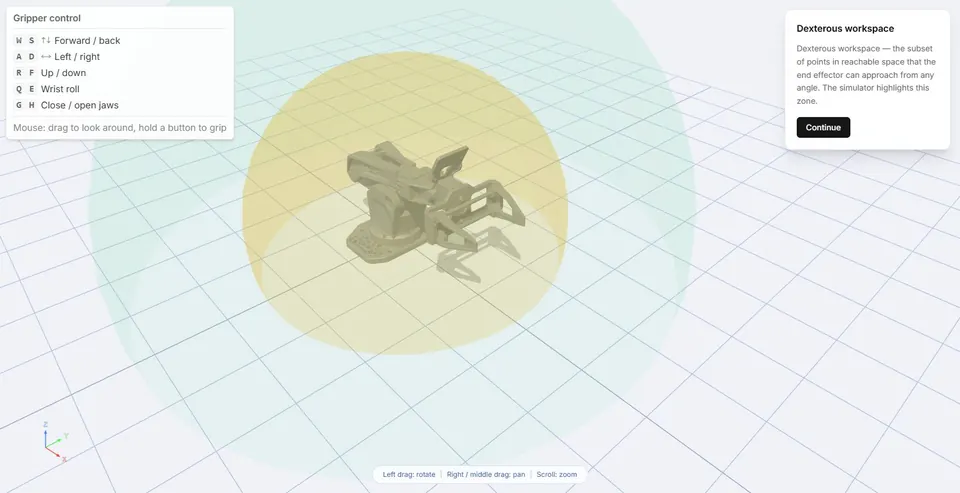
Robonine Lab
Control the robot and record movements directly in your browser.
Price
The full kit listed above. Assembly required.
Leader + follower
$389
First batch starts shipping in late October 2026. Ships from our warehouse in China; the delivery time for your country is shown at checkout.
FAQ
Yes. Install the separate SO-ARM102 follower plugin and use the standard so101_leader type for the leader. The setup guide is linked in the specifications section.
The printed manual draws every step for both arms and the gripper, and the kit has the hex keys it needs. No soldering and no machining are involved.
Import duty and VAT are charged by your country’s customs, not by us. The checkout shows an estimate for your country before you pay, and the courier collects the actual amount on delivery.
The kit ships from our warehouse in China. Delivery is priced from the warehouse's current rates and shown, with the delivery time, before you pay. An unopened kit can be returned within 14 days of receipt for a full refund.
International bank cards — Visa, Mastercard and more. Payment happens on a secure payment page.
Buy or ask
Compatibility, a lab order, the platform — write and we will answer.
Or write to us directly: hello@robonine.com
We use cookies to run the site and to measure how it is used. Privacy Policy
We value your privacy
We use cookies to enhance your browsing experience, serve personalised ads or content, and analyse our traffic. You can accept all, reject non-essential ones, or choose which cookies to allow.
Manage cookie preferences
Required for the site to function and cannot be switched off.
Help us understand how visitors use the site.
Used to deliver relevant ads and measure their performance.
Enable enhanced functionality and personalisation.