Choose a tool
Find the right workspace for paths, programming, calibration and vision.
| I want to | Open |
|---|---|
| Record a sequence of poses | Record paths |
| Build a block program | Block code |
| Run a Python/C++ example | ROS2 lab |
| Configure motors and calibration | Tool catalog |
| Use a camera and markers | Camera calibration; ArUco detector |
| Record policy demonstrations | Policies |
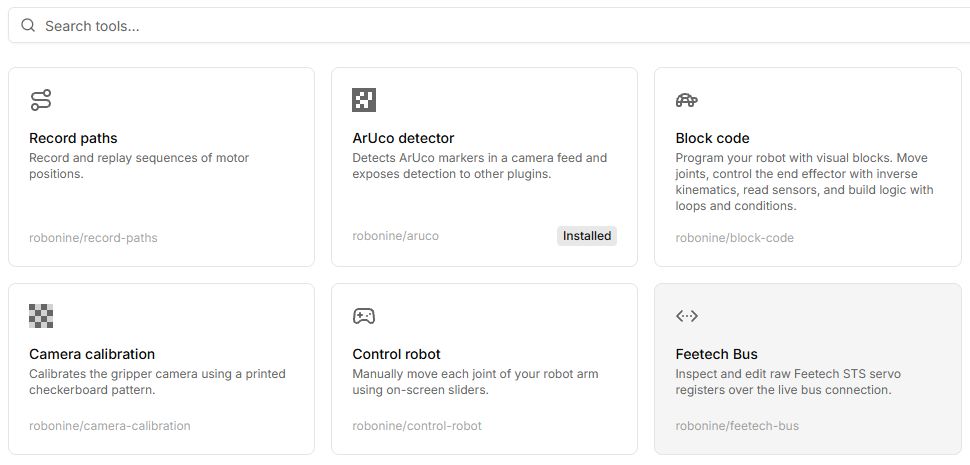
Before running
Check the model, connection type and permissions. Explore a simulation example first where supported. Bus register configuration and physical calibration are not equivalent to a virtual example.
Dependencies and local plugins
Controls
| Button or field | Action and result |
|---|---|
| Tools → search | Enter part of a name, such as Control robot or Block code, then open the matching card. |
| Install | Install a requested dependency if the tool needs one. Wait until it is ready before working. |
| Connect robot | Connect the required model and role. For an initial test, choose Virtual where the tool supports it. |
| Run / Play / Start | Start different operations: a program, a path or a tool mode. Check the selected mode and locate its Stop control first. |
| Save / Export / Download | Save different data. Check that you received the intended format: path, program, profile or episode. |
Every tool in the documentation catalog has its own table of buttons and fields. Do not assume similarly named actions work identically across tools.