Calibrate motors
Save joint offsets after setting the required mechanical reference pose.
Before saving
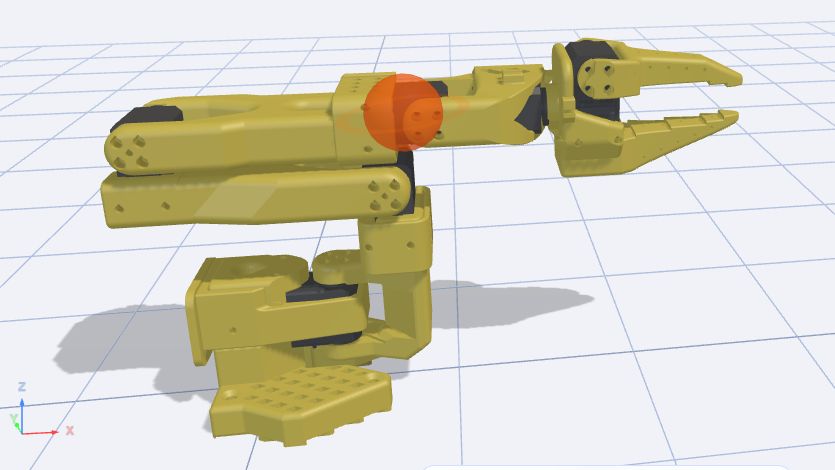
Verify the model and all six motor IDs. Prepare the reference pose using your robot’s assembly guide. Do not treat an arbitrary current screenshot pose as a mechanical reference. Support the arm when holding torque is disabled.
Procedure
- Connect the robot and open Calibrate motors.
- Position the joints at the required reference pose without forcing the stops.
- Check every joint and the model, then select Save.
- Wait for Motor offsets saved successfully and finish with Done.
- Next calibrate joint ranges and make a small verification movement.
What is saved
The tool saves motor offsets. It does not replace ID assignment, mechanical checks or recording permitted movement ranges. If offsets were saved in the wrong pose, correct the reference setup and recalibrate before running paths.
Buttons, fields and results
| Control | How to use it and what happens |
|---|---|
| Connect robot | Opens the connection dialog. Check that the selected model matches your assembled arm, then check the starting pose against the assembly guide. |
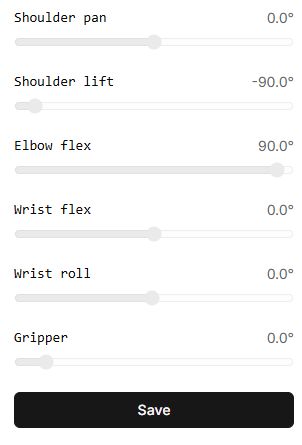
| Joint indicators | Show positions read from the motors in degrees or millimetres. These sliders are disabled: dragging them cannot set the reference pose. Position the physical arm manually according to the assembly instructions. |
| Save | Starts writing neutral offsets. For a model with a prismatic gripper, the tool may first move the gripper to its neutral value. It then disables motor torque and writes the offsets. Support the arm. The button is disabled during the operation. |
| Motor offsets saved successfully | The final message for this procedure. In the current version, a failure to save a calibration copy to the profile may not be shown separately, so this message does not guarantee a server-side copy exists. |
| Done | Returns to the tool catalog. Next, calibrate joint ranges and test a small movement of each joint. |
Calibration with Virtual tests only the interface. It does not measure the mechanical offsets of your arm. After physical calibration, check the pose and the result of reconnecting.