Teachers
Set up a class, publish work and guide students through the course.
Your first lesson
- Check that Teaching appears in the menu. If it is missing, ask the administrator about your account role.
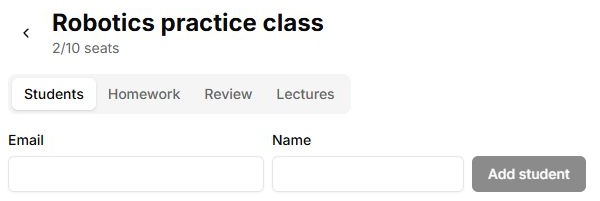
- Create a class and add students by email.
- Ask students to sign in with that same email and check Homework.
- Start with virtual connection and the introduction. Connect physical hardware after checking assembly and power.
- Publish a small assignment and verify it from the student’s side.
Work with your class
- Student progress
- Review and return answers
- Lectures and recordings
- Shared presentation
- Plan a lesson
Controls
| Button or field | Action and result |
|---|---|
| Teaching → New class | Create a class, set seats and open it. Its name remains your reference while working across its tabs. |
| Students → Add student | Add the email and check the student row. Ask the student to sign in with that address. |
| Homework → New assignment | Set the expected result, recipients and publication. Check access from the student side after saving. |
| Review → Accept / Return for revision | Read the answer and save a decision with a comment. Check the state change. |
| Lectures → new record | Publish material, a meeting link and a recording if available. Creating a Lab record does not start a video conference. |
| Presentation → Copy link | Invite viewers to a shared session. Give Pen or File control to a specific participant and take it back after the demonstration. |